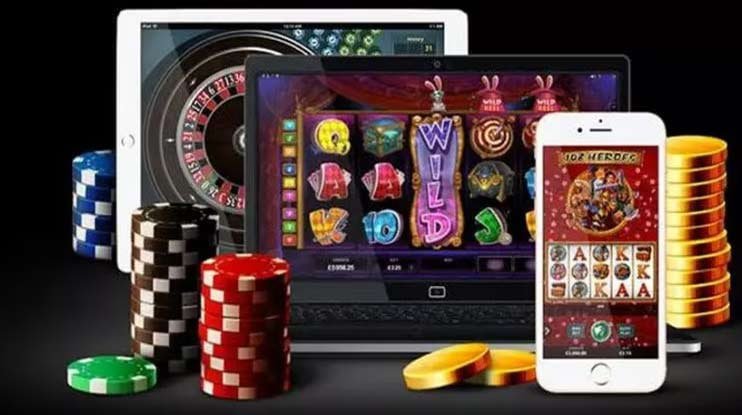


Official download

Download the luckbd9 app — enjoy the best betting experience on Android and iOS

Bangladesh's top online betting platform is now in your pocket. Download the luckbd9 app and enjoy Sports Betting, Live Casino, and gaming anytime, anywhere.

luckbd9
For your device Correct Version Choose

Android, iOS, or any browser — luckbd9 works reliably across all platforms

Latest Version
Android APK
Download the APK file directly and install it in just a few seconds. Compatible with all devices running Android 6.0 and above. The file is only 38 MB.
APK Download
iOS / iPhone
iPhone and iPad users can access luckbd9 directly through Safari. Adding it to your home screen gives you a native app-like experience.
How to use
Web browser
Use luckbd9 directly in Chrome, Firefox, Edge, or any modern browser. No download or installation required.
Play Now
luckbd9
Android APK Installation guide

Install the luckbd9 app on your Android phone in just five easy steps

1
Download the APK file

Tap the "Android APK" button above. The download will begin and the file will be saved to your phone's Downloads folder.

2
Enable installation from unknown sources

Go to Settings → Security → and enable "Unknown Sources" or "Install unknown apps". This only needs to be done once.

3
Open the APK file

Go to your Downloads folder and tap the luckbd9 APK file. The installation wizard will start automatically.

4
Tap the "Install" button

A permission request will appear — review it and tap Install. The installation usually completes in about 30 seconds.

5
Open the app and log in

Once installation is complete, the luckbd9 icon will appear on your home screen. Open the app, log in to your account, and start playing.

iOS Setup Guide

IPhone users can enjoy luckbd9 without downloading any app

1
Open the Safari browser

Open Safari on your iPhone or iPad. Chrome and Firefox work too, but Safari delivers the best performance.

2
Visit the luckbd9 website

Type luckbd9.vu in the address bar and press Enter. The site is fully mobile-optimized and loads quickly.

3
Tap the Share button

Tap the Share icon at the bottom center of your screen (the square with an arrow pointing upward).

4
Select "Add to Home Screen"

Tap "Add to Home Screen" from the menu, confirm the name, then tap "Add".

5
Use it directly from your home screen

From now on, tapping the luckbd9 icon on your home screen will open a full-screen experience just like a native app.

App's Technical details

Details about the latest version of the luckbd9 app

Description Info
App versionV3.8.1 (2026)
File Size38 MB
Android requirementsAndroid 6.0+
IOS supportIOS 13+ (Safari PWA)
Updated onJune 2026
Language SupportBangla, English
Screen Resolution320px to 4K
Internet requiredYes (3G/4G/WiFi)
Download priceCompletely Free
What's in the app Get

Download the luckbd9 app and get all your entertainment in one place

  • Live Sports Betting — place real-time bets on cricket, football, tennis, badminton, and 30+ more sports
  • Live Casino — baccarat, roulette, and blackjack with professional dealers
  • Fish Game — smooth mobile gameplay with multiple fish game tables
  • Bingo — simple rules, big prizes, and new rounds every day
  • Fast deposits & withdrawals — mobile banking and e-wallet support
  • Push notifications — match reminders, bonus offers, and payment updates
  • 24/7 customer support — live chat available directly in the app
  • Dark mode interface — reduces eye strain and comfortable for night use
luckbd9

Why download the luckbd9 app?

Online betting and gaming in Bangladesh has grown enormously. While many platforms compete for attention, luckbd9 stands out because it's built with Bangladeshi users in mind. When other apps struggle on slow connections, luckbd9 keeps running reliably. It loads fast on minimal data and works well on Grameenphone, Robi, and Banglalink networks alike.

The app interface is designed in Bangla, making it easy to use even for those who aren't comfortable in English. Everything from the menu to the payment process is laid out in clear, plain language.

How secure is the luckbd9 app?

Security is the biggest concern when handling money online, and luckbd9 takes it seriously. The app uses 256-bit SSL encryption — the same standard used by banking systems — keeping your personal information and financial data fully protected.

Enabling Two-Factor Authentication (2FA) at login adds an extra layer of security to your account. Any unusual login or transaction triggers an immediate SMS and push notification alert. Our fraud detection system runs around the clock, 24 hours a day.

How does luckbd9 perform on mobile networks?

Mobile internet users in Bangladesh frequently deal with inconsistent network speeds. 4G coverage is not always stable outside Dhaka, especially at the district and upazila level. With that reality in mind, luckbd9 has been optimized to run smoothly even on 3G networks.

Running the app in data saving mode reduces bandwidth usage by around 40%. Live scores and odds update in real time with minimal data consumption, so you don't need to worry about burning through your monthly data package.

What do I do after downloading?

Once the luckbd9 app is installed, start by creating an account. Registration is straightforward — just enter your mobile number and a password to get started. Once your account is verified, you can make a deposit and instantly claim your welcome bonus.

Luckbd9 offers a special welcome deal for new members. You'll receive a bonus on your first deposit, giving you more to play with right from the start. Full bonus terms and conditions are available in the Promotions section of the app.

How do I update the app?

Android users will need to download and install a new APK file from time to time. You'll receive an in-app notification whenever an update is available. You can install the new APK without uninstalling the old version — your data will not be lost.

IOS users generally don't need to update manually. Clearing the browser cache is enough to get the latest version. If you've added luckbd9 to your home screen as a PWA, it updates automatically.

luckbd9

How do I reach customer support?

If you run into any issues downloading or installing the luckbd9 app, our support team is always ready to help. Live chat is available in-app, and you'll typically get a response within minutes.

For general questions, visit our FAQ page Check there — it covers solutions to all common download and installation issues. You can also reach us by email, though live chat typically gets you a faster response.

Play Responsibly

Luckbd9 believes entertainment is only truly enjoyable when it's responsible and in control. The app includes deposit limits, session time reminders, and a self-exclusion option. This platform is not intended for anyone under 18. For more information, visit our Responsible Gaming Visit the page.

FAQ (FAQ)

Answers to common questions about downloading and installation

Yes, downloading and installing the luckbd9 app is completely free. There are no subscription fees or download charges. A deposit is only required when you want to play or place bets.

The official luckbd9 APK is completely safe. Only enable Unknown Sources when installing luckbd9, and turn it off again once installation is complete. Avoid downloading APK files from unknown third-party sources.

luckbd9 isn't available on the App Store, but it works fully in Safari. Use "Add to Home Screen" for a native app-like experience — complete with full-screen mode and push notifications.

Yes. Installing an updated APK will keep your account details, balance, and betting history fully intact. All data is stored on our servers, so even if you switch phones, simply log in with the same account and everything will be there.

The luckbd9 Android APK is only 38 MB and downloads in just a few minutes on a standard mobile connection — even faster on WiFi. With data saving mode on, typical daily use stays well under 200–300 MB per month.

First, make sure "Unknown Sources" is enabled and that your phone has enough free storage (at least 100 MB). If the problem persists, delete the APK file and download it again. If you're still having trouble, reach out via the app's live chat or contact our support team.
বাংলা